
File Manager
Every church file in one place, with versions
A centralized view of every file uploaded across ChurchHarmony — folders and subfolders, search, sort, and version history on each file.
Included in the $80/mo access fee · no add-on modules
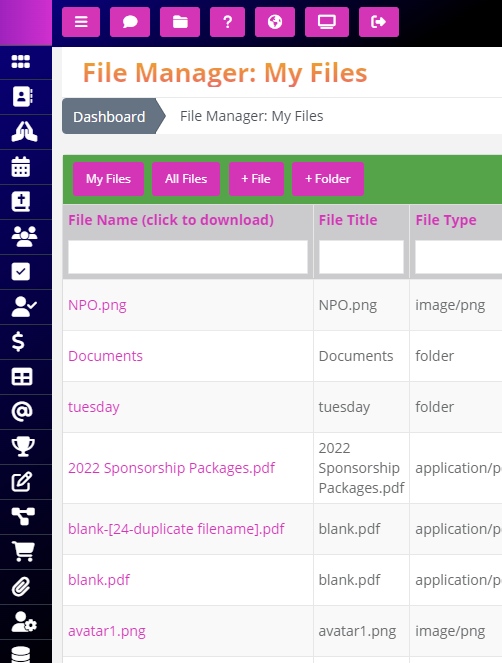
Why churches keep file manager in ChurchHarmony
01
One place instead of five
Group resources, forms, bulletins, and policies scatter across drives and inboxes. The file manager is the single view of all of it.
02
Versions, not “final-v3-revised”
Upload a new copy and the old one stays available as a version. Nobody has to guess which file is current.
03
Permissions come from your groups
Files inherit the access rules of the group or role they belong to, so the deacons’ documents stay with the deacons.
How congregations use it
Class curriculum
Teachers pull the current quarter’s material from the group folder, always the latest version.
Church policies
The staff handbook lives in one place with a full revision history.
File Manager questions
Can we see previous versions of a file?
Yes. Every file keeps its version history.
Who can access a file?
Access follows the group or role permissions you have already set.
Need it to work a particular way for your congregation? Ask us — custom module requests get built, not filed on a wishlist.
Works with the rest of your church system
Every module shares one database, so nothing needs syncing and nobody re-enters a name.
Assets Manager
Create, database, track, and maintain important resources — categorized, with files and notes attached and a rolling…
Read more →
Custom Resources Page
Administrators publish anything they like to a members-facing resources page using a full WYSIWYG editor — no ticket…
Read more →
Member Groups
A ChurchHarmony member group is not a mailing list. Groups discuss, share files, assign tasks, collect data, and…
Read more →
One system for your entire church.
File Manager is one of 24 modules included in the $80 monthly access fee. Unlimited members, no add-ons, no contracts.
Unlimited members · no contracts · unlimited support included